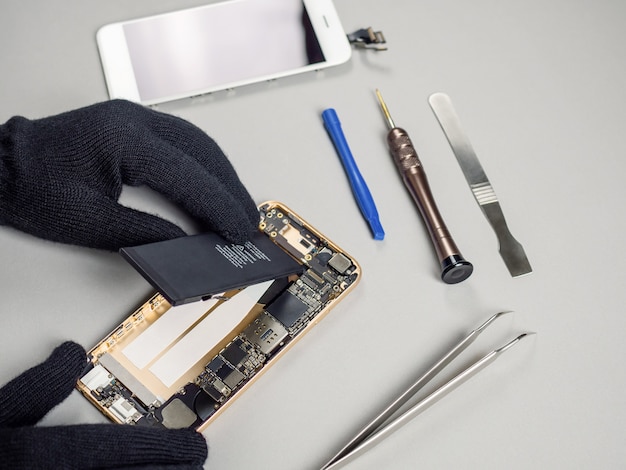
Replacing an iPhone battery is a task that many users consider as their device ages. An aging battery can lead to diminished performance, unexpected shutdowns, and reduced device efficiency. Although a new battery can breathe life into your device, it requires care and precision to ensure the replacement process is seamless. Whether you’re considering a professional service or a DIY approach, understanding the fundamentals of iPhone battery replacement is crucial. This article provides expert tips that can guide you through the process, ensuring your device continues to function optimally.
Understanding When to Replace Your iPhone Battery
Knowing the right time to replace your iPhone battery can prevent potential damage to the device. Here are some signs that indicate a battery replacement might be necessary:
- Frequent and unexpected shutdowns even with sufficient battery charge.
- Noticeable swelling of the battery, causing the phone to bulge.
- Significant reduction in battery life, requiring frequent charging.
- Device overheating during normal use.
For more detailed diagnostics, discover expert strategies here.
Preparation for Battery Replacement
Before beginning the battery replacement process, ensure you have all necessary tools and information. Here’s a checklist to help you prepare:
- Acquire a compatible replacement battery specific to your iPhone model.
- Gather essential tools like a pentalobe screwdriver, suction cup, spudger, and tweezers.
- Have a clean, well-lit workspace to avoid losing small components.
- Back up your data to prevent any loss during the replacement process.
- Review a comprehensive guide or video tutorial specific to your iPhone model.
For detailed guidance on preparation, explore advanced guides and tips.
Step-by-Step Replacement Process
Disassembling Your iPhone
Carefully disassembling your iPhone is critical. Follow these steps for a safe disassembly:
- Power off your iPhone to prevent any electrical hazards.
- Use the pentalobe screwdriver to remove the screws near the charging port.
- Gently use a suction cup and spudger to lift the screen from the body.
- Carefully detach the screen connectors once the screen is lifted.
For a detailed disassembly process, find out more about this approach.
Installing the New Battery
Once the old battery is removed following the manufacturer’s guidelines, proceed with the installation:
- Carefully place the new battery in the designated compartment.
- Reconnect the battery connector to the logic board.
- Ensure all screws and connectors are fastened securely.
- Reattach the screen and secure it with the screws.
For more insights into the installation process, learn about our tailored solutions.
Post-Replacement Considerations
After replacing the battery, there are several considerations to ensure your iPhone operates smoothly:
- Calibrate the new battery by fully charging it and then allowing it to drain completely once or twice.
- Monitor the device’s performance for any irregularities.
- If issues persist, consult a professional for further evaluation.
For ongoing maintenance tips, explore advanced guides and tips.